> ## Documentation Index
> Fetch the complete documentation index at: https://docs.tensorlake.ai/llms.txt
> Use this file to discover all available pages before exploring further.
# Pricing and billing
> Compare Tensorlake plans, per-sandbox resource limits, concurrency, session duration, and metered compute and storage rates.
Tensorlake Cloud has a free tier, prepaid Usage Credits, a Pro subscription, and custom Enterprise plans. All prices below are in USD.
## Plans and limits
Resource limits apply to each sandbox. Concurrency is the maximum number of sandboxes you can run at the same time.
| Plan | Price | Concurrent sandboxes | Maximum resources per sandbox | Maximum session duration |
| ----------------- | ----------------------------- | -------------------: | ------------------------------------ | -----------------------: |
| **Free** | \$0 forever | 1 | 1 vCPU, 1 GB RAM, 10 GB root disk | 2 hours |
| **Usage Credits** | Prepaid packs starting at \$5 | Up to 100 | 4 vCPU, 16 GB RAM, 100 GB root disk | 24 hours |
| **Pro** | \$250 / month + usage | 1,000 | 16 vCPU, 64 GB RAM, 100 GB root disk | Unlimited |
| **Enterprise** | Custom quote | Unlimited | Custom | Unlimited |
The paid-plan memory limits are also subject to the sandbox resource ratio: allocate between 1 GB and 8 GB of RAM per vCPU. For example, a 16-vCPU Pro sandbox can allocate up to 64 GB of RAM, while a 2-vCPU sandbox can allocate up to 16 GB.
If you need a larger sandbox or an account-specific limit, contact [support@tensorlake.ai](mailto:support@tensorlake.ai).
## Metered resource rates
Usage Credits and Pro deduct usage for sandbox CPU, RAM, root disk, and snapshot storage at these rates:
| Resource | Usage Credits | Pro | Enterprise |
| ----------------------------- | ------------: | -------: | ---------: |
| Active CPU per core-hour | \$0.07 | \$0.042 | Custom |
| RAM per GB-hour | \$0.015 | \$0.009 | Custom |
| Root disk per GB-hour | \$0.0002 | \$0.0001 | Custom |
| Snapshot storage per GB-month | \$0.07 | \$0.07 | Custom |
Rates are quoted per hour for readability, but runtime usage is measured by the second. CPU tracks active runtime execution, not allocated vCPU time is used. RAM and root disk are allocation-based while the sandbox is running. Snapshot storage is billed per GB-month while the sandbox is suspended.
## Usage Credits
One compute unit (CU) is \$0.01 of prepaid balance.
| Pack | Compute units |
| ---: | ------------: |
| \$5 | 500 CUs |
| \$10 | 1,000 CUs |
| \$20 | 2,000 CUs |
You can buy up to 10 packs at once, top up at any time, or enable threshold-based auto-refill. When the balance reaches zero, Tensorlake blocks new sandbox activity and stops running sandboxes instead of creating a postpaid overage. Add another pack to resume, or enable auto-refill to reduce interruptions.
## Configure sandbox resources
The SDK and CLI default to 1 vCPU, 1 GB RAM, and a 10 GB root disk. Override those values when you create a sandbox, within your plan limits:
```bash theme={null}
tl sbx create --cpus 4 --memory 8192 --disk_mb 25600
```
```python theme={null}
sandbox = Sandbox.create(
cpus=4,
memory_mb=8192,
disk_mb=25600,
)
```
```typescript theme={null}
const sandbox = await Sandbox.create({
cpus: 4,
memoryMb: 8192,
diskMb: 25600,
});
```
`disk_mb` is expressed in MiB by the API even though plan limits and billing rates are displayed in GB. See [Sandbox lifecycle: resources](/sandboxes/lifecycle#resources) for all resource parameters and constraints.
## View usage and invoices
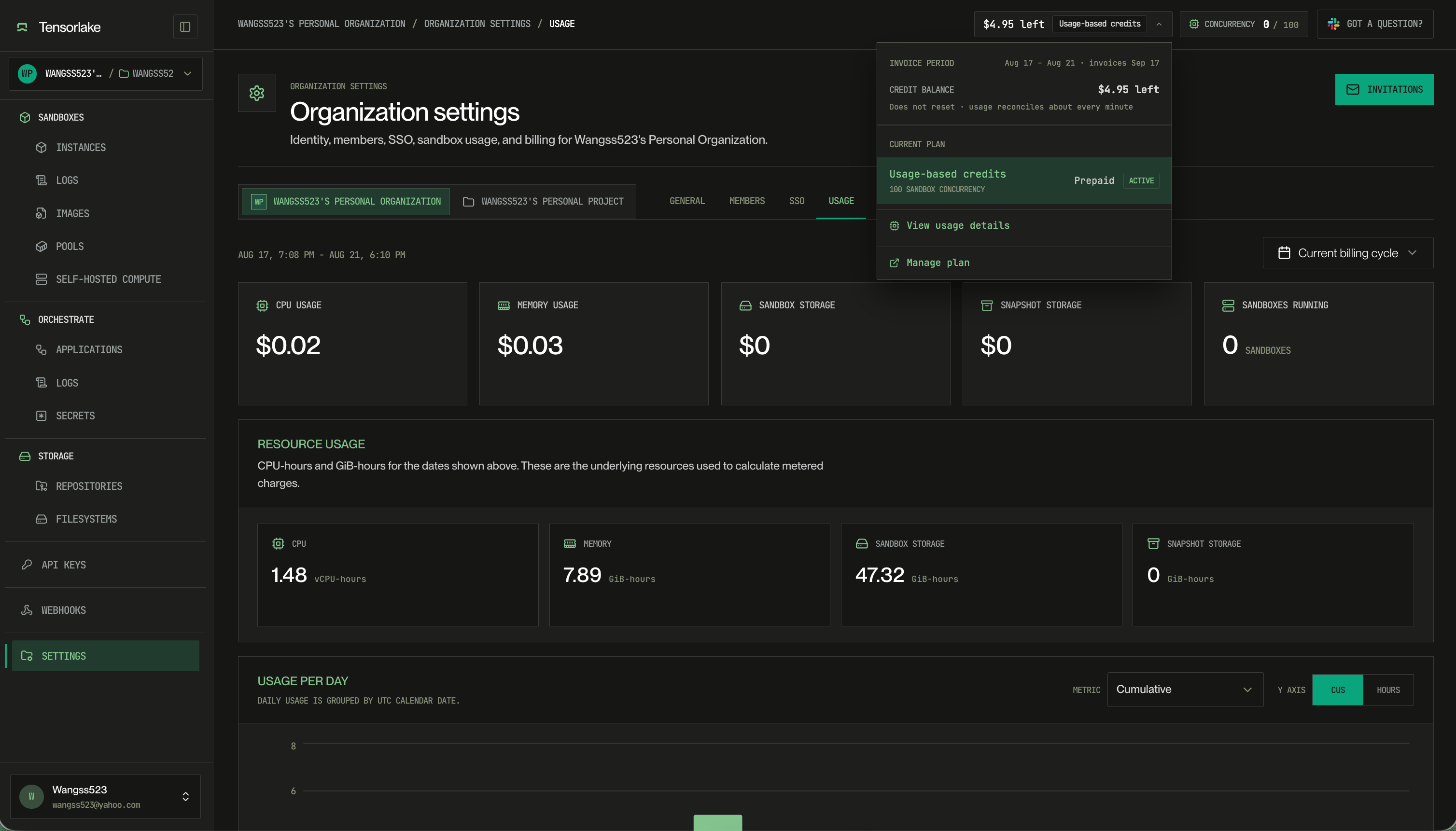
Organization settings in the [Tensorlake dashboard](https://cloud.tensorlake.ai) has two tabs for spend.
The **Usage** tab shows metered charges for the selected billing cycle, the CPU-hours and GiB-hours behind those charges, and usage per day.
 The **Billing** tab shows your current plan, credit balance, and invoices. Use it to buy a credit pack or turn on auto-refill.